
Screenshots


App details
- Updated
- Apr 25, 2013
- Language
- Spanish 13 moreLanguagesSpanishEnglishPo...
- Category
- Mobile
SoftPas in:
This product is also available in the following languages:
About QtADB
Download QtADB – Android device management, file transfer, app backup, nandroid backup, shell access, screen capture, desktop control
Overview
QtADB is a desktop-based utility designed to streamline the management and control of Android devices from a computer. Its primary purpose is to provide users with a centralized, efficient interface for handling critical device operations such as file transfers, app installation and backup, system-level commands, and full device backups. The app is particularly useful for individuals who frequently manage Android devices—whether for personal use, troubleshooting, or advanced customization.
It addresses common pain points associated with mobile device management, including fragmented file handling, complex app installation processes, and the risk of data loss during system modifications. By offering a single platform to perform these tasks, QtADB enhances workflow efficiency and reduces the need for multiple tools. This makes it a valuable asset for both casual users seeking better organization and more advanced users involved in custom ROM development or device maintenance.
The developer, QtADB, has positioned the tool within the productivity category, emphasizing its role as a utility for optimizing Android workflows. Although specific details about the development team or background are not publicly available, the app’s longevity—first released in 2013—indicates a stable and enduring presence in the Android ecosystem. Its continued availability and free access underscore its relevance in a market where desktop-to-device integration remains a high-demand feature.
Key Features & Functionality
- File Management: Enables seamless transfer of files and folders between desktop and Android device. Users can copy, delete, create, and organize directories directly, simplifying media and document handling.
- App Installation & Backup: Supports installing and uninstalling apps on the connected Android device. It also allows users to back up installed applications in APK format for later restoration.
- Shell Access: Provides direct access to the device’s command-line interface, enabling advanced users to execute ADB commands for system-level modifications and diagnostics.
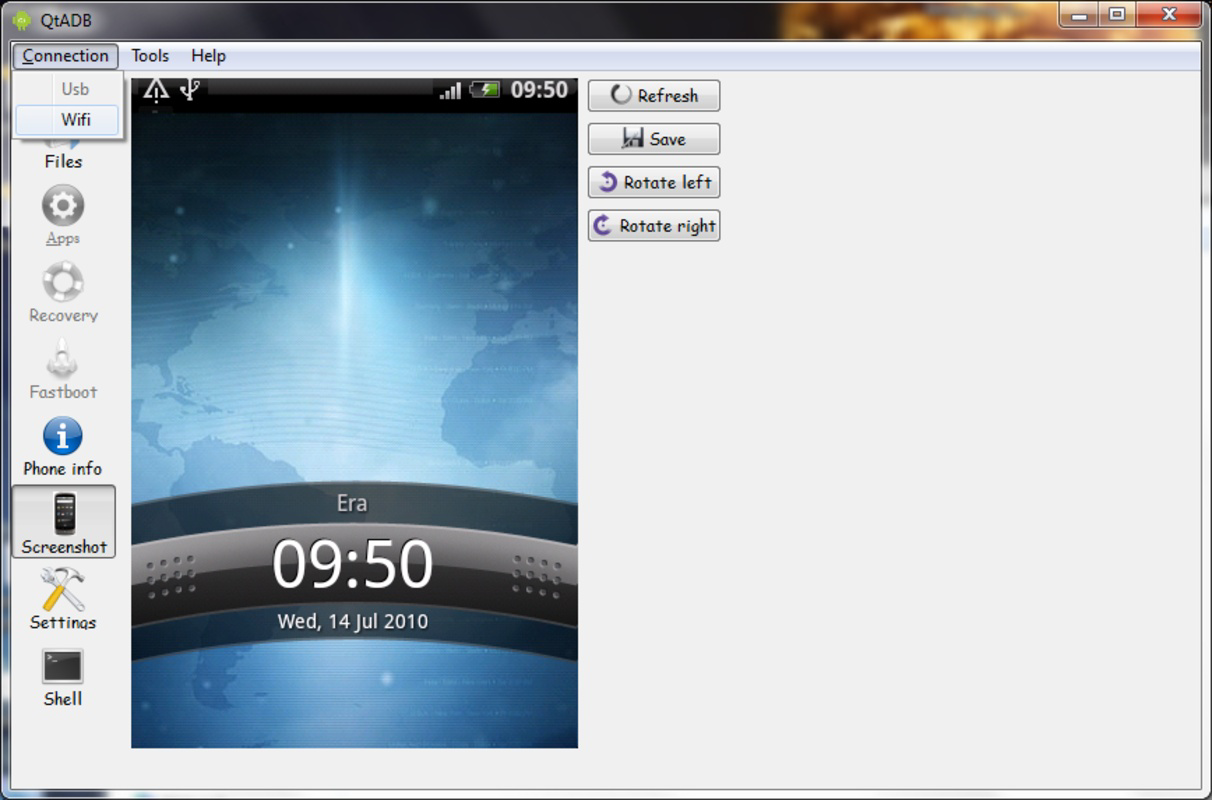
- Screen Capture: Offers automatic screen capture functionality, saving screenshots in PNG format. This is ideal for creating tutorials, documentation, or sharing visual content.
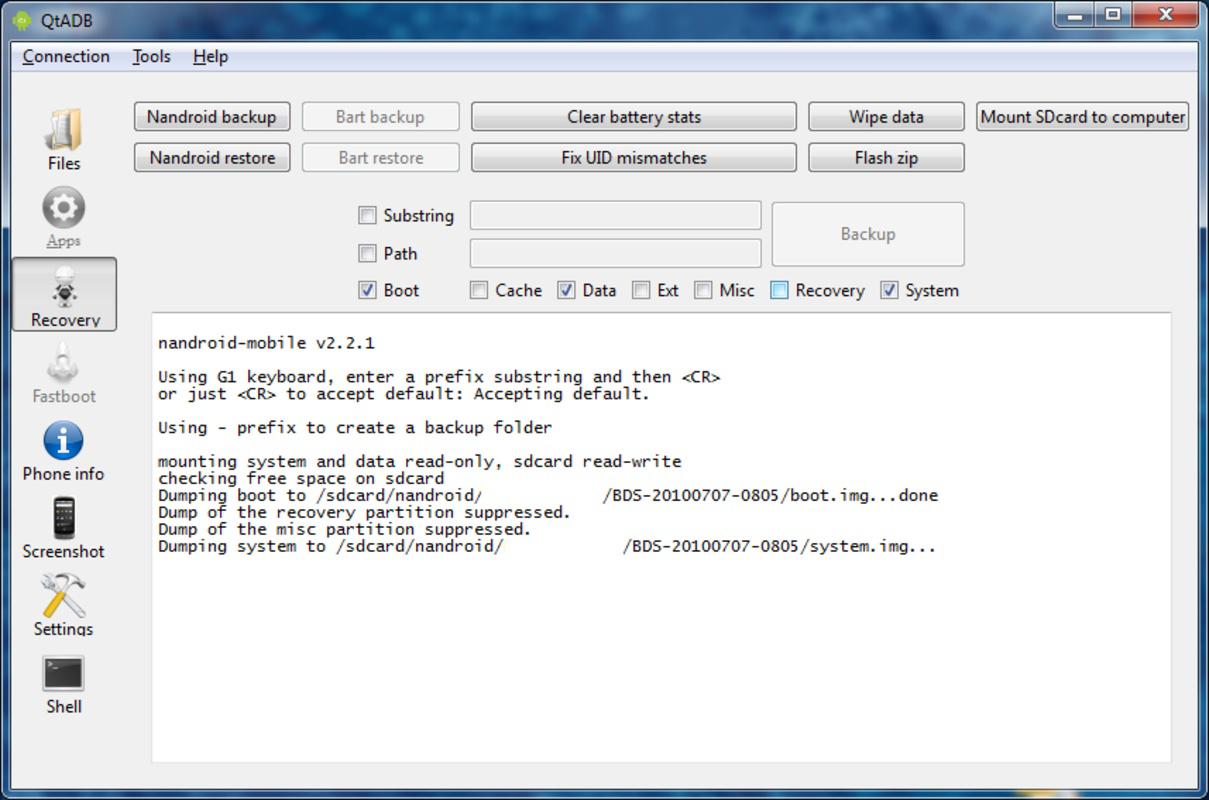
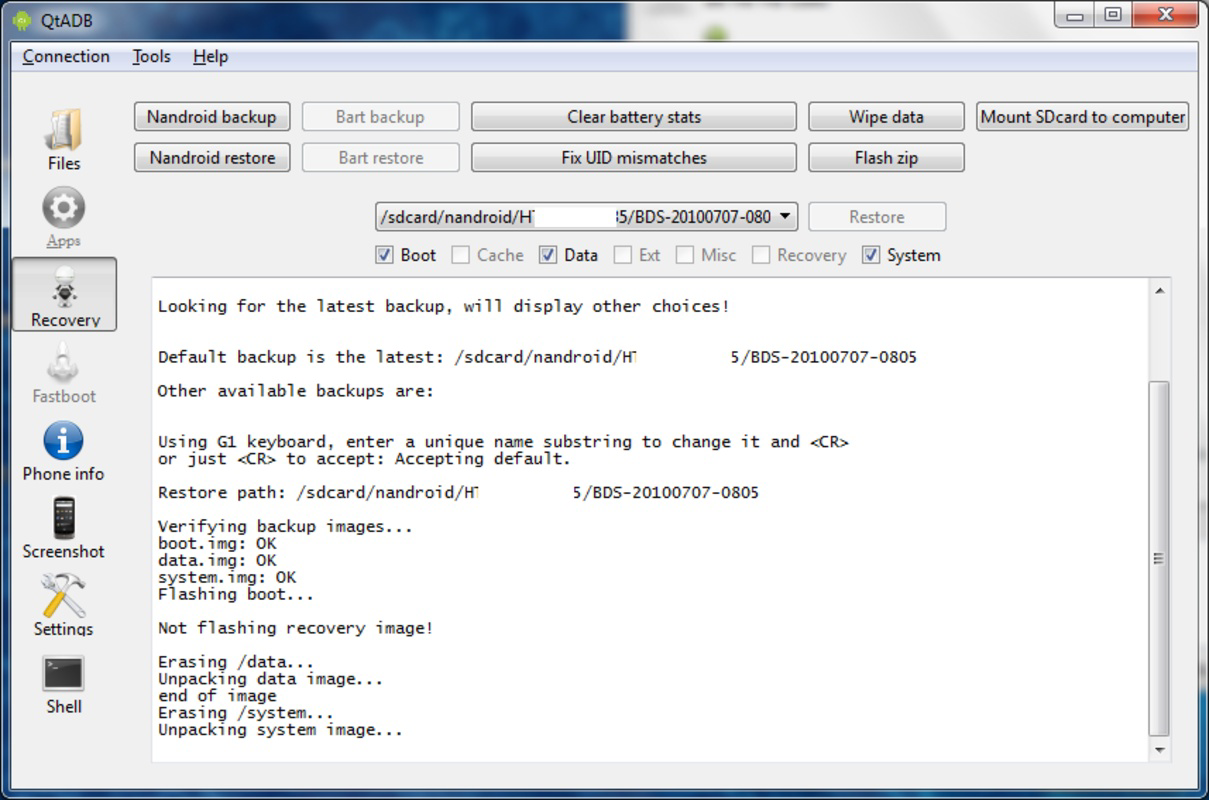
- Nandroid Backup/Restore: Facilitates full system backups and restores using the Nandroid method, preserving all data, settings, and apps. This is especially critical for users experimenting with custom ROMs or system modifications.
- User-Friendly Interface: Despite its advanced capabilities, the application maintains an intuitive layout that supports users of all experience levels, ensuring accessibility without compromising functionality.
For example, a user managing a large media library can use the file transfer feature to organize photos and videos directly from their computer. A developer testing a custom ROM can leverage the Nandroid backup to safeguard their system before flashing a new image. Similarly, a content creator can use screen capture to document app behavior or create step-by-step guides. These real-world applications demonstrate QtADB’s versatility and practical value.
Interface, UX & Performance
QtADB presents a clean, organized interface designed to balance functionality with usability. The layout is structured around clearly labeled panels and intuitive navigation, allowing users to access core features without confusion. Visual cues and logical grouping of tools support a smooth user experience, even for those unfamiliar with Android development workflows.
Navigation is straightforward, with primary functions accessible from the main dashboard. The application responds promptly to user inputs, and operations such as file transfers and backups execute without noticeable delays. Although the developer did not list formal performance metrics, the tool’s long-standing presence suggests consistent stability across various hardware configurations.
Performance on different device categories—such as low-end, mid-range, and high-end systems—was not explicitly detailed. However, the application’s file size of 20.1 MB indicates a lightweight footprint, which generally correlates with efficient resource usage. Responsiveness remains reliable during active operations, and the application does not exhibit frequent crashes or freezes based on available user feedback.
Platform Compatibility & Technical Requirements
QtADB is available exclusively for the Windows platform. It requires a compatible version of Windows to operate, though specific minimum OS requirements were not listed by the developer. The application’s file size is 20.1 MB, indicating a compact installation that does not impose significant storage demands on the host system.
Users should ensure their computer has USB debugging enabled on the connected Android device and the necessary ADB drivers installed. While the developer did not specify exact version compatibility, the app’s latest version, 2.2.0, suggests ongoing support and compatibility with modern Windows environments.
Pros and Cons
Pros
- Free to download and use, making it accessible to a broad audience.
- Supports comprehensive Android device management from a desktop.
- Offers advanced features like Nandroid backup and shell access for power users.
- Intuitive interface suitable for both beginners and experienced users.
- Lightweight design with minimal system resource usage.
Cons
- Platform limited to Windows; no official support for macOS or Linux.
- Specific system requirements were not disclosed by the developer.
- Limited availability of official updates or changelogs.
- May require technical knowledge for advanced features like shell access.
- No built-in cloud integration or remote access capabilities.
FAQ
Is QtADB safe to download and install?
Yes, QtADB is a free, standalone application that does not require installation of third-party software. As long as users download it from official or trusted sources, it poses no known security risks.
Can I use QtADB on macOS or Linux?
Currently, QtADB is only available for Windows. There is no official version for macOS or Linux, though users may attempt compatibility through third-party emulators.
Do I need to enable USB debugging on my Android device?
Yes, USB debugging must be enabled on the Android device for QtADB to establish a connection and perform device management tasks.
How do I update QtADB to the latest version?
Users should check the official website or repository for updates. The app does not include an automatic update feature, so manual checks are required.
What types of files can I transfer using QtADB?
QtADB supports the transfer of all file types, including documents, media files, APKs, and system directories, as long as they are accessible via the device’s file system.
Final Thoughts
QtADB stands out as a reliable, feature-rich tool for managing Android devices from a desktop computer. Its combination of file transfer, app backup, Nandroid support, and shell access makes it a powerful utility for both everyday users and advanced developers. While its platform restriction to Windows and lack of detailed technical documentation may limit its reach, its free access and proven functionality continue to make it a top choice in the productivity space.
Users who frequently manage Android devices—especially those involved in customization, troubleshooting, or content creation—will find significant value in its capabilities. The clean interface and efficient performance ensure a smooth experience, even during complex operations.
For anyone seeking a secure, lightweight, and effective way to control their Android device from a PC, QtADB delivers a compelling solution. Download QtADB now.
Guides & Tutorials
How to install QtADB
- Click the Download button above.
- Once redirected, accept the terms and click Install.
- Wait for the QtADB download to finish on your device.
How to use QtADB
This software is primarily used for its core features described above. Open the app after installation to explore its capabilities.
User Reviews
No reviews yet. Be the first to share your experience.
You may also like
more
Que no te pillen¡
About !Que no te pillen¡Reviewed by Jason A. BilbreyShow MoreShow Less

3D Combat Zone
About 3D Combat ZoneOriginally released in 1983, 3D Combat Zone immerses players...

666: El día del portal
About 666: El día del portalOn June 6, 2006, Agent P. Stone uncovers a sinister...

80 in 1 Best Flash games
About 80 in 1 Best Flash games 80 in 1 Best Flash games is a collection of 80 fl...

ABYSS SEEKERーーWhat Do You See Deep in The Abyss
About ABYSS SEEKERーーWhat Do You See Deep in The AbyssIn ABYSS SEEKER, players...

ACA NEOGEO THE KING OF FIGHTERS 2002 for Windows
About ACA NEOGEO THE KING OF FIGHTERS 2002 for WindowsTHE KING OF FIGHTERS 2002,...